How to Trade Futures on OKX in 2026 as a Beginner
· based on the channel Binances Club
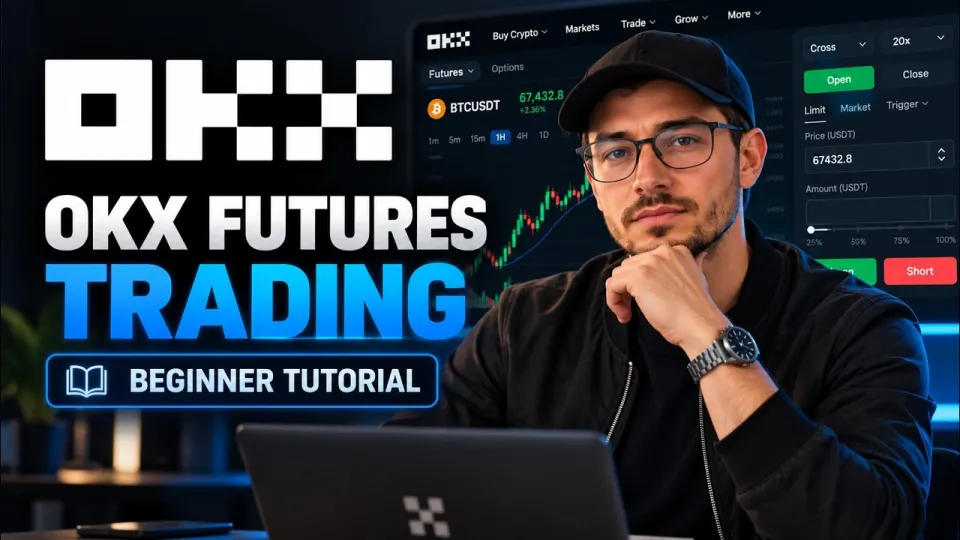
Futures trading on OKX means buying or selling a perpetual or dated contract on crypto with borrowed funds, using leverage to control a position larger than your own margin. To start, register on OKX via the sign-up link from the video, transfer USDT from your funding account to the futures account, pick a contract, set leverage and margin mode, then open a long or short position with a market or limit order. The step-by-step walkthrough below follows the beginner tutorial published by the Binances Club channel.
What OKX futures trading actually is
OKX futures are derivative contracts that track the price of an underlying crypto asset, and traders profit from price movement rather than from owning the coin. The platform offers perpetual swaps, which have no expiry date, and delivery futures, which settle on a fixed date; perpetuals dominate volume and are the usual starting point for newcomers.
Two mechanics separate futures from spot trading:
- Leverage — the exchange lets you control a position worth several times your margin. OKX displays leverage per contract and allows adjustments before opening a trade.
- Margin — the collateral locked to keep the position alive. If losses eat the margin, the position is liquidated automatically.
Because both profit and loss are amplified, a futures account is not a place to keep idle funds; only capital you can afford to lose belongs there.
Moving funds into the OKX futures wallet
The OKX account is split into a funding account and a trading account, and futures orders are only funded from the trading side. The first practical step in any OKX futures tutorial is therefore a transfer, not an order.
- Open the Assets section of your OKX profile.
- Choose Transfer and select USDT as the currency.
- Set the source as Funding account and the destination as Trading account.
- Enter the amount and confirm — the balance appears instantly in the futures workspace.
Skipping this step is the most common reason a beginner sees an empty available balance while USDT clearly sits in the account.
How leverage works on OKX with a simple example
Leverage on OKX is a multiplier applied to your margin, so a 100 USDT margin at 10x leverage opens a position worth 1,000 USDT. If the price moves 5% in your favour, the position gains 50 USDT — half of the original margin; if it moves 5% against you, the same 50 USDT is lost.
That symmetry is why liquidation distance shrinks as leverage rises. At 10x, a roughly 10% adverse move can wipe the margin; at 100x, a 1% move is enough. OKX lets you edit leverage per contract in the position panel, and the interface shows the estimated liquidation price before you confirm. Beginners are usually better served by 3x–5x, which leaves room for normal volatility without instant liquidation.
A tour of the OKX futures interface
The futures workspace on OKX packs the chart, order book, position panel and order form onto one screen, and knowing where each block sits removes most of the confusion. The central area holds the candlestick chart with drawing tools and indicator controls; the right column is the order panel; the bottom section lists open positions and pending orders.
Key elements to locate before trading:
- Contract selector — switches between pairs such as BTC-USDT perpetual swaps.
- Margin mode — cross margin shares the whole account balance as collateral, isolated margin limits risk to the position's own margin.
- Order type tabs — market, limit, and advanced conditional orders.
- Leverage button — opens the slider that sets the multiplier for the selected contract.
Spending a few minutes switching contracts and resizing the chart pays off later, when speed matters during a fast move.
Opening a position, long or short
Opening a trade on OKX futures requires choosing a direction, a size and an order type, then confirming in the position panel. A long position profits when the price rises; a short position profits when it falls, and both use the same panel.
- Select the contract, for example BTC-USDT perpetual.
- Set margin mode (isolated is the safer default for beginners) and leverage.
- Choose Long or Short.
- Enter the order size in USDT or contracts, or drag the slider.
- Pick Market for immediate execution or Limit to name your price.
- Optionally attach take-profit and stop-loss levels in the same window.
- Confirm and check that the position appears in the bottom panel.
A market order fills at the best available price, while a limit order waits in the book until the market reaches your level — useful for entries you do not want to chase.
Closing a trade and managing risk
Closing a position properly means using the Close function on the position row rather than opening an opposite trade, which can leave two separate entries on the books. OKX offers partial close, where you specify a fraction of the position, and full close, which settles everything at market.
Risk tools worth using from the first trade:
- Stop-loss — a conditional order that exits the position at a defined loss, protecting the margin from a sudden move.
- Take-profit — locks in gains automatically without watching the screen.
- Liquidation price — the level at which the exchange closes the position for you; keep it far from current price.
- Position size — the simplest control: smaller size means smaller damage when the market disagrees with you.
Checking the position panel after every action confirms that orders were placed as intended, since a rejected order leaves no trace on the chart.
Useful links
- OKX registration with the referral code from the video: https://www.okx.com/join/2355124AD
- The original walkthrough: https://www.youtube.com/watch?v=jIMrjBuBj-A
Bottom line
OKX futures trading is a mechanical process — fund the trading account, choose a contract, set leverage and margin mode, open a long or short, then close and manage risk with stop-loss orders. The platform's interface is dense but logical, and the beginner tutorial from the Binances Club channel covers exactly this sequence from wallet transfer to closing a trade. Start with small size and low leverage, treat the liquidation price as the hard limit of your risk, and scale up only after the workflow feels routine. Registration through the OKX referral link is the first step if you do not yet have an account.
Key takeaways
- Futures trading on OKX runs on a separate futures account, so USDT must be transferred from the funding wallet before any order is placed.
- Leverage on OKX multiplies both position size and liquidation risk: 10x leverage turns a 100 USDT margin into a 1,000 USDT position.
- A futures position is opened as long (price up) or short (price down), with cross or isolated margin chosen before confirmation.
- Orders can be market, limit, or conditional (TP/SL), and every position should be closed with the Close button rather than an opposite order.
- Beginners should cap leverage at 3x–5x and always set a stop-loss, because liquidation wipes the entire margin of the position.
Questions & answers
What is the minimum amount needed to start OKX futures trading?
OKX does not impose a large fixed minimum, but each contract has its own minimum order size, and small accounts are quickly constrained by margin requirements. In practice a few dozen USDT is enough to place a first small position at low leverage, though the fees and liquidation buffer make larger balances more comfortable.
What is the difference between cross and isolated margin on OKX?
Isolated margin limits the risk of a trade to the margin assigned to that specific position, so a liquidation does not touch the rest of the balance. Cross margin uses the entire futures account balance as collateral, which keeps positions alive longer but puts the whole account at risk.
Can I lose more than my deposit when trading futures on OKX?
With the insurance fund and auto-deleveraging system, a standard position is liquidated before the balance goes negative, so losses are normally capped at the margin committed. Still, gaps and extreme volatility can produce losses up to the full position margin, which is why low leverage and stop-loss orders matter.
Do I need to complete verification to trade OKX futures?
Yes, OKX requires identity verification (KYC) before futures and other derivatives become available, and the level of access depends on your region. Completing verification also unlocks higher withdrawal limits and full account recovery options.
Source: OKX Futures Trading or How to Trade Futures on OKX for Beginners · Markdown version